Given by Samaritan Ministries1.0.17
Publisher Description
Samaritan Given is a new health care sharing program from Samaritan Ministries International. Members can manage their membership and share with one another entirely online. The program allows for easier, real-time member connections and has a membership card that allows providers to submit bills to Samaritan directly. Samaritan will then work to secure a fair price for shareable bills on your behalf. The Samaritan Given mobile app provides powerful ministry tools for a convenient member experience.
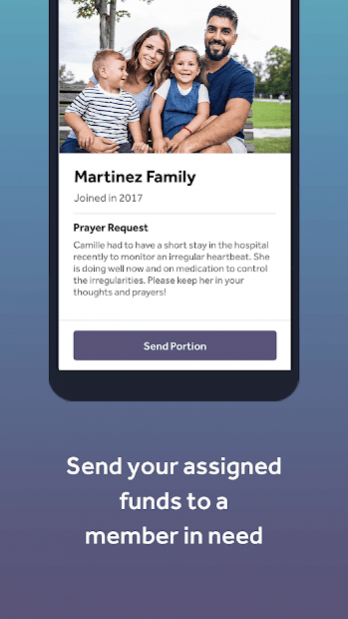
Electronic Sharing
• Send funds each month to your assigned member
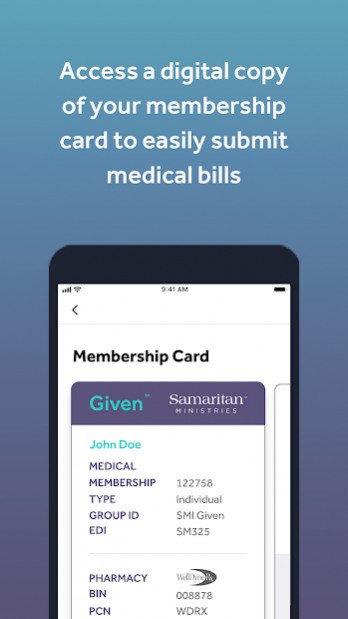
Digital Membership Card
• Access your membership card to have bills from your provider automatically submitted
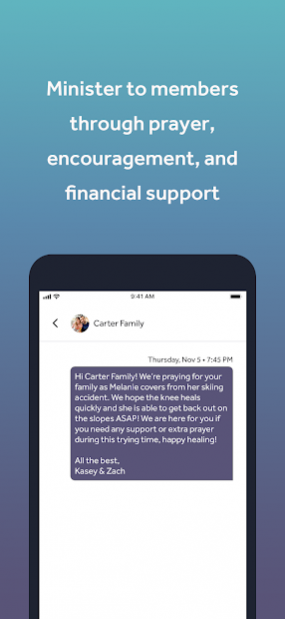
Connect with Other Members
• Send and receive notes of encouragement as you share with other members
Submit Your Prayer Request
• Write your own personalized prayer request for others to see
Note: This app is only compatible with Samaritan Given and not available for Samaritan Classic or Basic.
About Samaritan Ministries
Samaritan Ministries is a health care sharing ministry that seeks to “bear one another’s burdens, and so fulfill the law of Christ” (Galatians 6:2).
With health care sharing, Christians are paying for their health care without using health insurance. When a medical need arises, Samaritan members receive support from other members to pay their health care providers directly.
Health care sharing with Samaritan Ministries connects the Body of Christ throughout the nation to help one another with health care costs. Using a direct health care sharing model, our members have experienced a Biblical and affordable option for their health care needs since 1994.
If you are interested in Samaritan Given, or health care sharing in general, please visit SamaritanMinistries.org.
About Given by Samaritan Ministries
The company that develops Given by Samaritan Ministries is Samaritan Ministries International. The latest version released by its developer is 1.0.17.
To install Given by Samaritan Ministries on your Android device, just click the green Continue To App button above to start the installation process. The app is listed on our website since 2022-03-02 and was downloaded 6 times. We have already checked if the download link is safe, however for your own protection we recommend that you scan the downloaded app with your antivirus. Your antivirus may detect the Given by Samaritan Ministries as malware as malware if the download link to com.samaritanministries.given is broken.
How to install Given by Samaritan Ministries on your Android device:
- Click on the Continue To App button on our website. This will redirect you to Google Play.
- Once the Given by Samaritan Ministries is shown in the Google Play listing of your Android device, you can start its download and installation. Tap on the Install button located below the search bar and to the right of the app icon.
- A pop-up window with the permissions required by Given by Samaritan Ministries will be shown. Click on Accept to continue the process.
- Given by Samaritan Ministries will be downloaded onto your device, displaying a progress. Once the download completes, the installation will start and you'll get a notification after the installation is finished.
Program Details
System requirements
Download information
Pricing
Version History
version 1.0.17
posted on 2022-03-02
. Updated Notes UI
. Added pinch-to-zoom function to the Map
. Updated Share notifications to clear once you view them
. Bug fixes & general performance improvements
version 1.0.15
posted on 2021-08-19
. General performance improvements and bug fixes
version 1.0.14
posted on 2021-08-04
General performance improvements
version 1.0.13
posted on 2021-07-02
New Features
Added the ability to add, edit, or delete phone numbers
Added the ability to edit the mailing address
Bug fixes
Fixed an issue were bills were duplicated
Fixed text wrapping in various places in the app
General UX improvements
version 1.0.12
posted on 2021-04-21
You can now add and edit your wallet funding method
Added the ability to select a different funding day
Added the ability to edit your contact email address
A warning now displays in app when your bank verification is locked
Various user interface improvements
Bug fixes and performance improvements
version 1.0.11
posted on 2021-02-19
Bill IDs are now displaying correctly
Login email is now located in the Security page
Your Task information now displaying in the Bills Details page
Made improvements to the Get Help section
Fixed bug where member is stuck if sending their portion fails
Various user interface improvements
version 1.0.10
posted on 2020-12-16
. Added the bills tab, which includes the bills overview and bill details page
. Fixed issue where the sign out button was covered on small screens
. Fixed camera icon position on Android
. Fixed chat screen crashes
. Fixed various styling issues
. Fixed various minor bugs
version 1.0.9
posted on 2020-10-16
. Wallet transactions and settings can now be viewed in the app
. Uploaded profile pictures can now be cropped
. Updated the “assignment details” page and added additional information about how sharing works when sending you sharing portion
version 1.0.7
posted on 2020-08-20
. Added the ability to view and upload profile pictures.
. The profile tab now has a FAQ & Support section.
. The digital membership card has been improved to match your physical card.
. Fixed an issue that caused the app to freeze while sending a portion.
version 1.0.6
posted on 2020-05-05
. Updates to the sharing navigation
. Improved experience when viewing and composing a note
. Various bug fixes and performance improvements
. Fixed native back button to close out the app on home screen
